Versioning & Branches
Revisium provides project-level versioning — not row-level, not table-level. One commit captures a full snapshot of all tables, schemas, and data. Like git commit — but for your entire database.
Versioning is optional — you can work in draft indefinitely without ever committing, just like any other database. When you need history, rollback, or want to serve immutable data via HEAD endpoints — commit.
Draft and HEAD
Every branch has two states:
- Draft — mutable working state where all changes happen
- HEAD — latest committed revision, immutable
Draft (mutable)     ← make changes here
  ↓ commit
HEAD (immutable)    ← production state
All modifications (create/update/delete tables and rows) happen in the Draft. HEAD never changes until you commit.
Commit
Committing promotes the current Draft to a new HEAD revision:
Before commit:
  HEAD (rev-3) ← current production
  Draft        ← has pending changes

After commit:
  HEAD (rev-4) ← new production (includes all draft changes)
  Draft        ← clean (no pending changes)
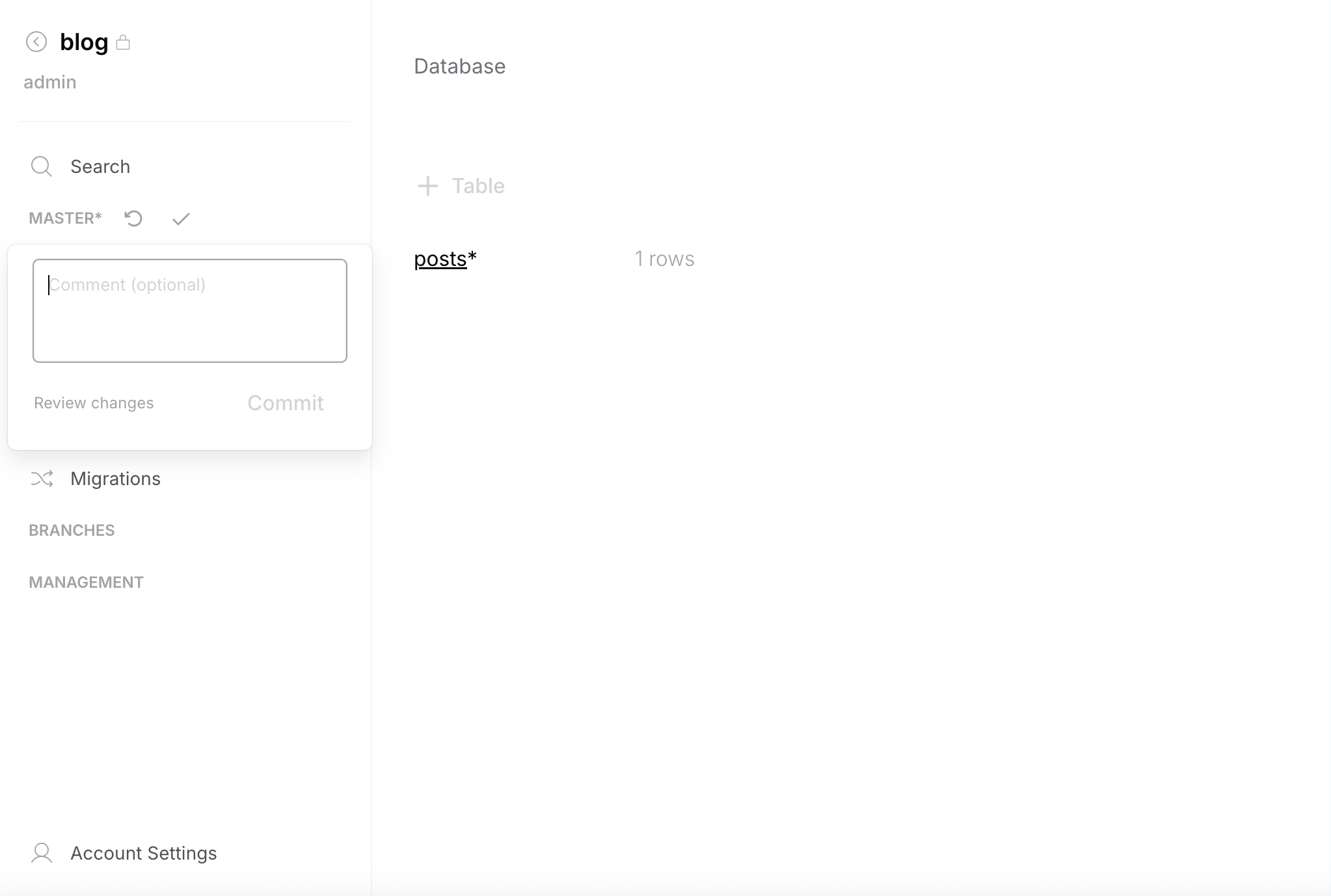
Commits can include an optional comment. You can commit from the sidebar (quick) or from the Changes page (with review).
Changes & Diff
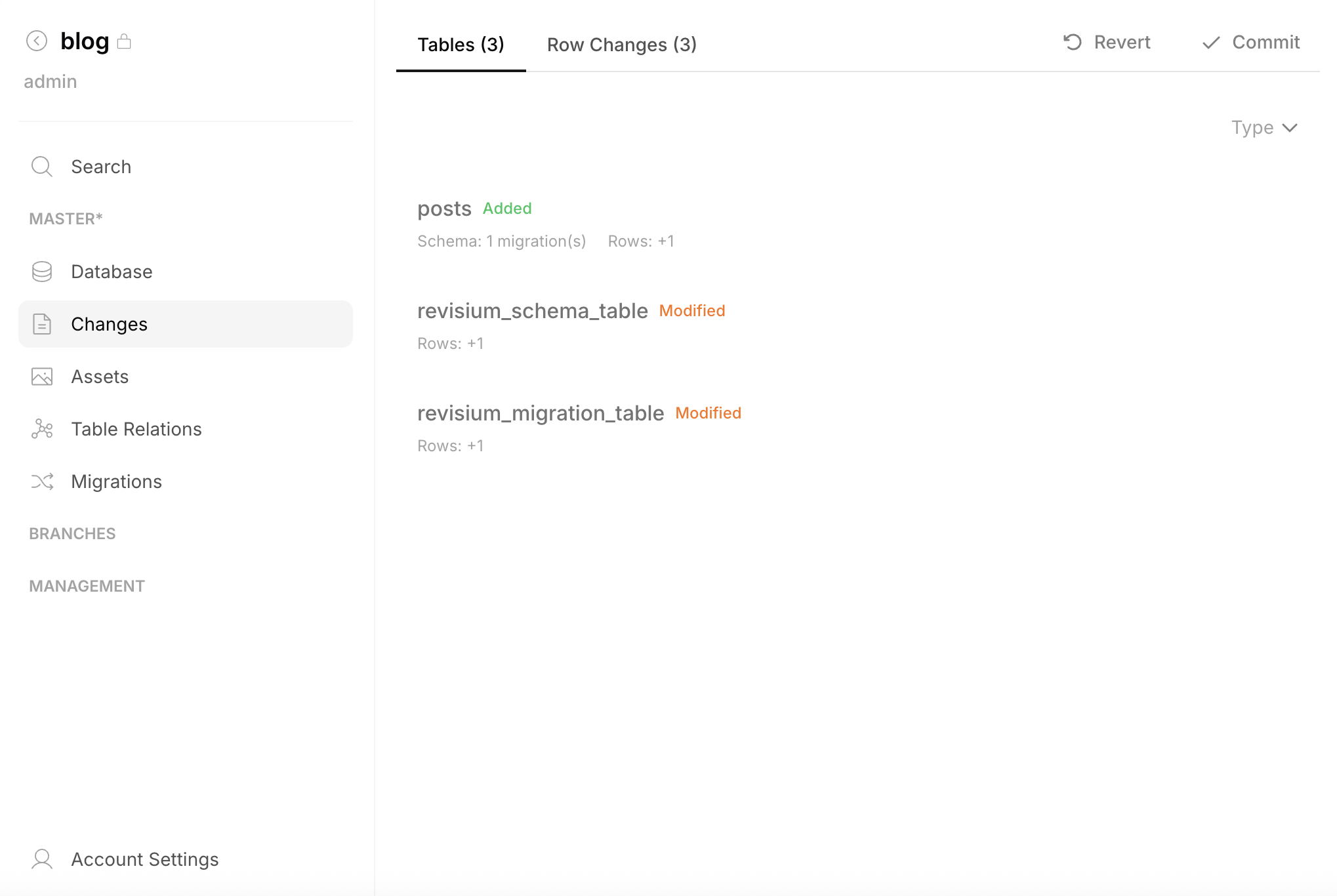
Before committing, review what changed. The Changes page shows:
| Change type | What it shows |
|---|---|
| Tables | Tables added, removed, or modified |
| Schema changes | Field-level diff (old vs new schema) |
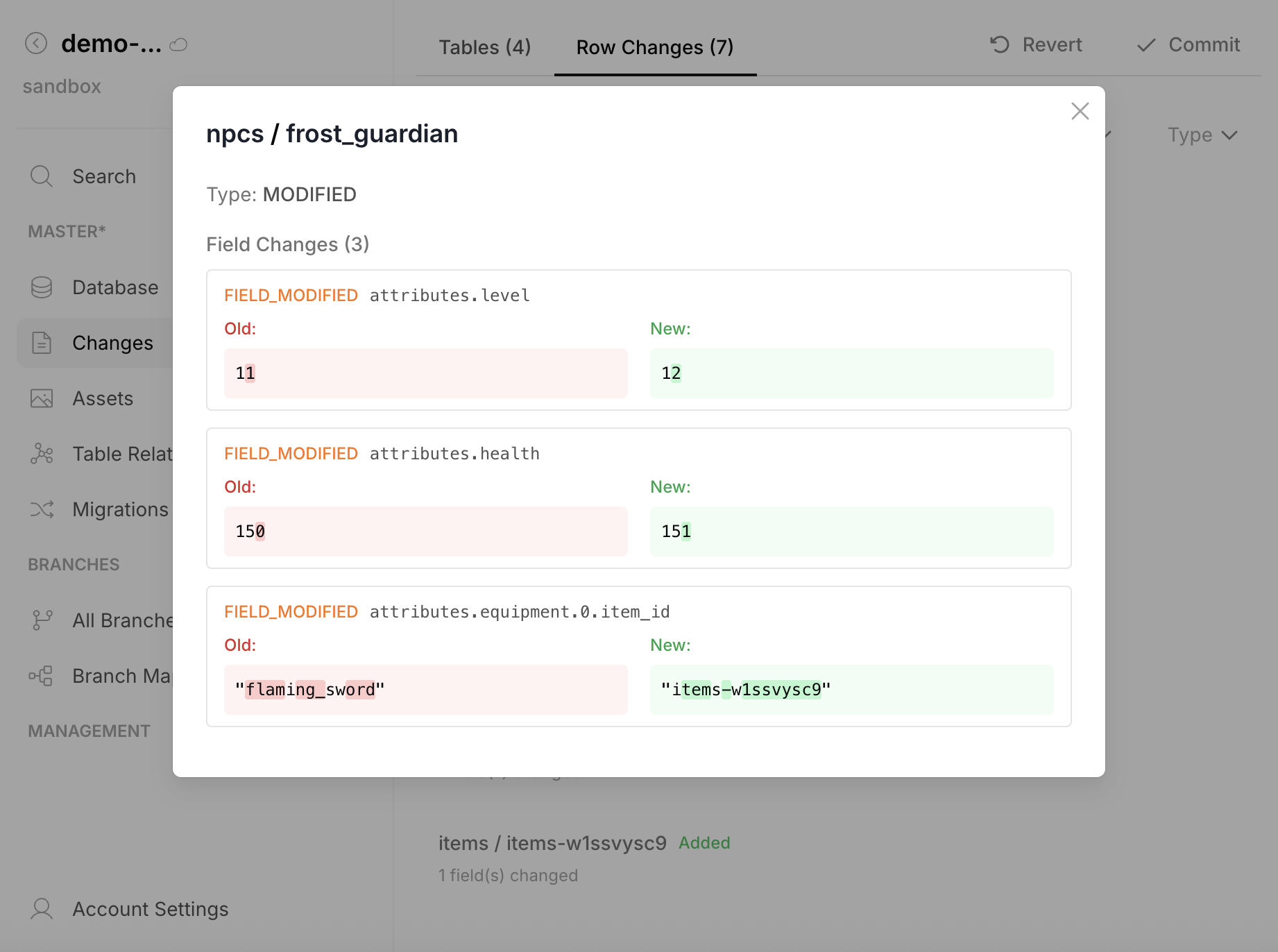
| Row changes | Rows added, removed, or modified with field-level data diff |
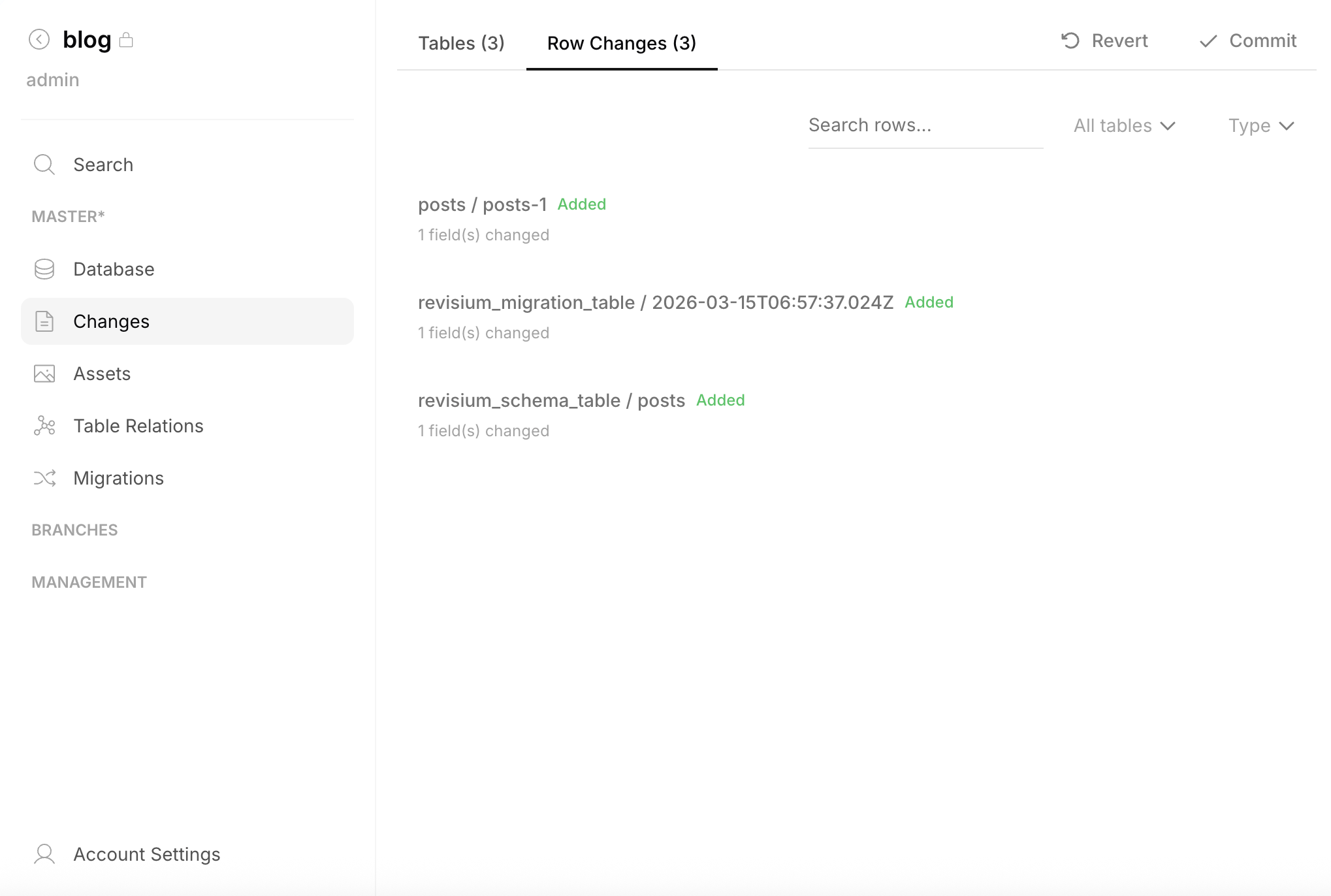
Click any row change to see the field-level diff — old value vs new value for each changed field:
Changes are also available via the System API: getRevisionChanges, getTableChanges, getRowChanges.
Rollback
Revert all uncommitted changes — reset Draft back to match HEAD:
Before revert:
  HEAD (rev-3)
  Draft ← has changes you want to discard

After revert:
  HEAD (rev-3)
  Draft ← clean, matches HEAD
Rollback discards all pending changes in Draft. HEAD is not affected. Available from the Changes page (Revert button) or via API.
Revision History
Every branch maintains a linear history of committed revisions. You can:
- Browse any past revision — see its tables and data (read-only)
- Diff any two revisions — compare what changed between them
- Access any revision via API — pin an endpoint to a specific revision
Copy-on-Write
Commits do not duplicate unchanged data. The platform uses copy-on-write at the PostgreSQL level — only modified tables and rows are stored in the new revision. Unchanged data is shared across revisions. This makes commits fast and storage-efficient.
Branches
Branches are isolated development lines within a project. Each branch has its own Draft, HEAD, revision history, and API endpoints. Work on one branch does not affect others.
Default Branch
Every project starts with a root branch (usually master).
Creating a Branch
A new branch is created from a specific revision. It starts with that revision as HEAD and a clean Draft:
master:  rev-1 → rev-2 → rev-3 (HEAD)
                            ↓
staging:                  rev-3 (HEAD) → Draft
Use Cases
| Branch | Purpose |
|---|---|
master | Production data |
staging | Pre-release review and testing |
dev | Development and experimentation |
| Feature branch | A/B testing, per-client configs, experimental schemas |
Branch Isolation
Each branch maintains independently:
- Draft revision (working state)
- HEAD revision (latest committed state)
- Revision history
- API endpoints (bound to that branch's revisions)
Schema changes on one branch don't affect tables on other branches.
Branch Map
The Admin UI provides a visual map of all branches, their revision history, and connected API endpoints:
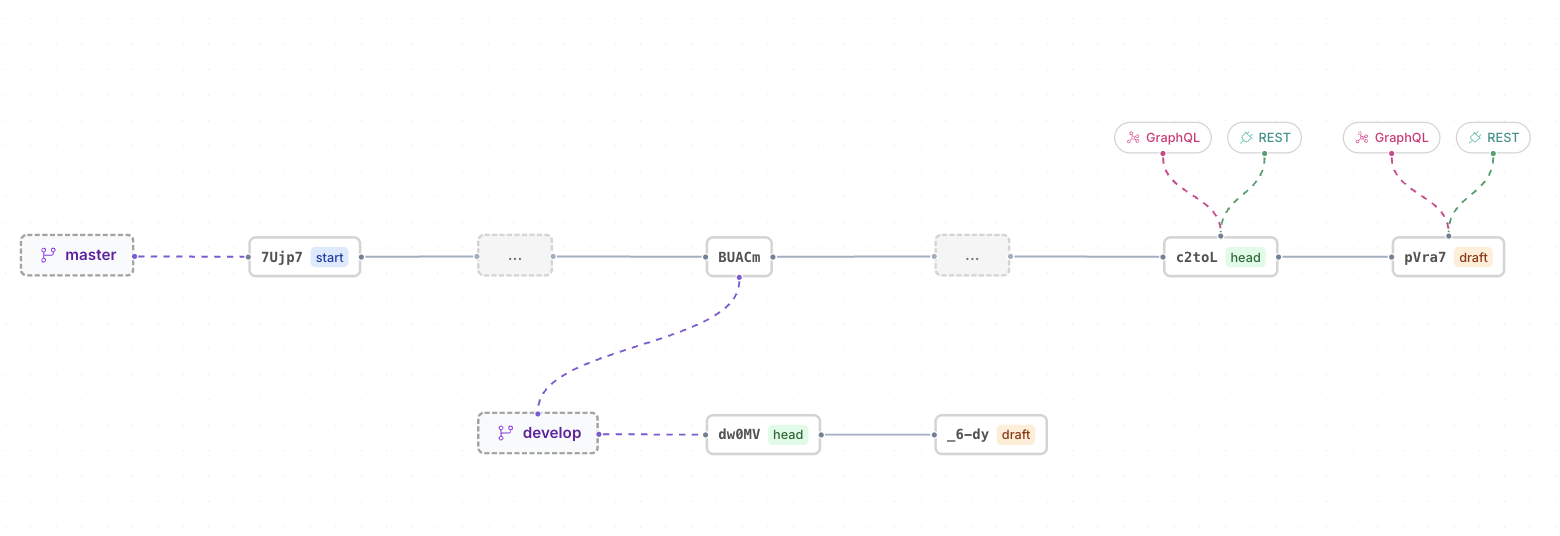
API Endpoints and Revisions
API endpoints can be bound to different revision states:
| Binding | What it serves | Use case |
|---|---|---|
| HEAD | Latest committed data | Production — stable, immutable |
| Draft | Current working state | Preview — includes uncommitted changes |
HEAD endpoints only update when a new revision is committed. Draft endpoints reflect every change immediately.